Players
Free
Open the sessions your game master shares, and keep them.
- Read the recaps and transcripts, see every picture
- Ask privately with your chosen text provider; use credits for ScribeAI Cloud
- Everything stays readable when credits run out
 Scribe.Quest
 listens to the game, in the room or on Discord, and keeps the chronicle: the transcript, a recap to read and one to hear, and pictures of the moments worth keeping. Ask it a question out loud and it answers in its own voice.
Coming soon for Mac, iPhone and iPad. Android is in the works.
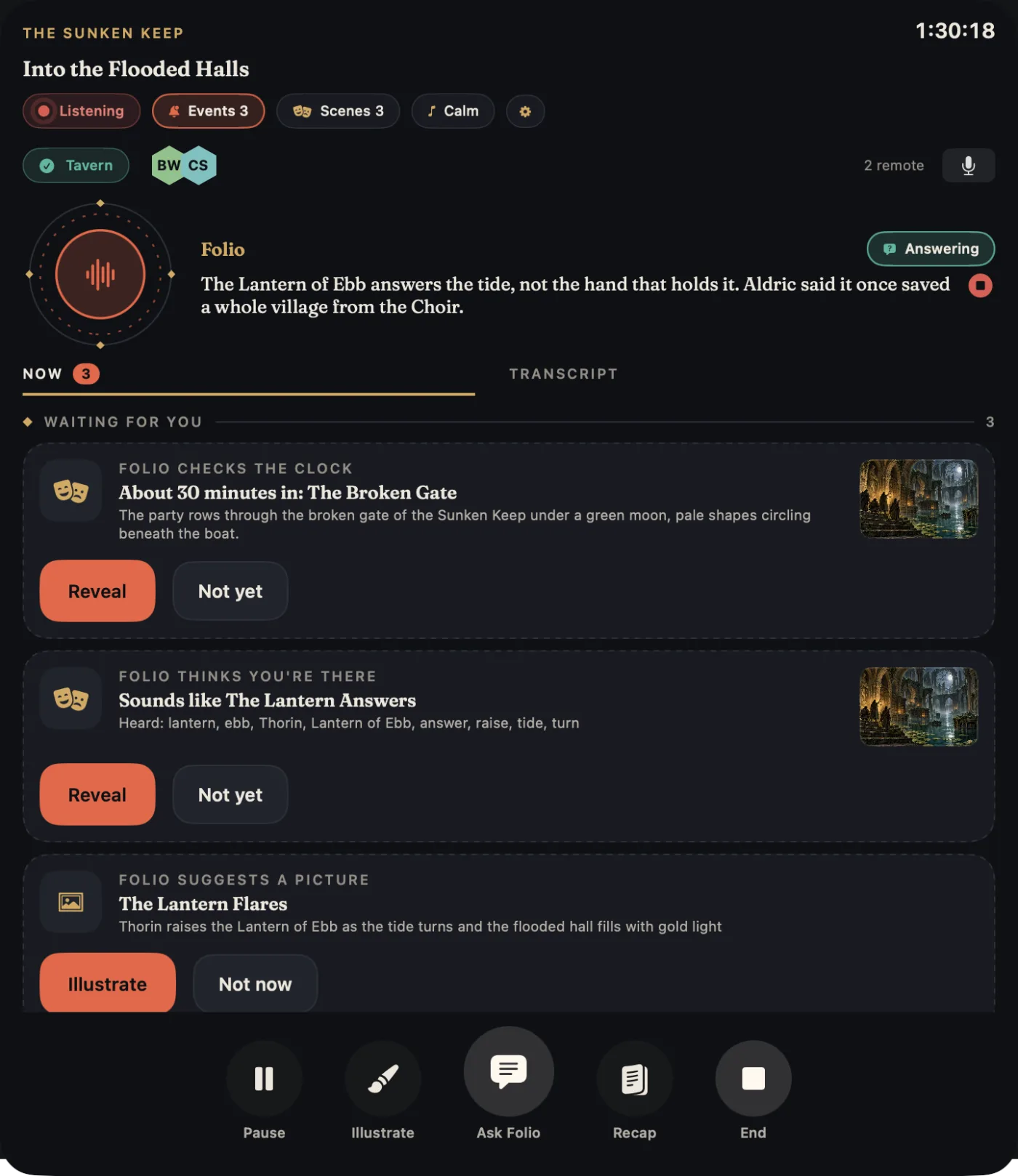
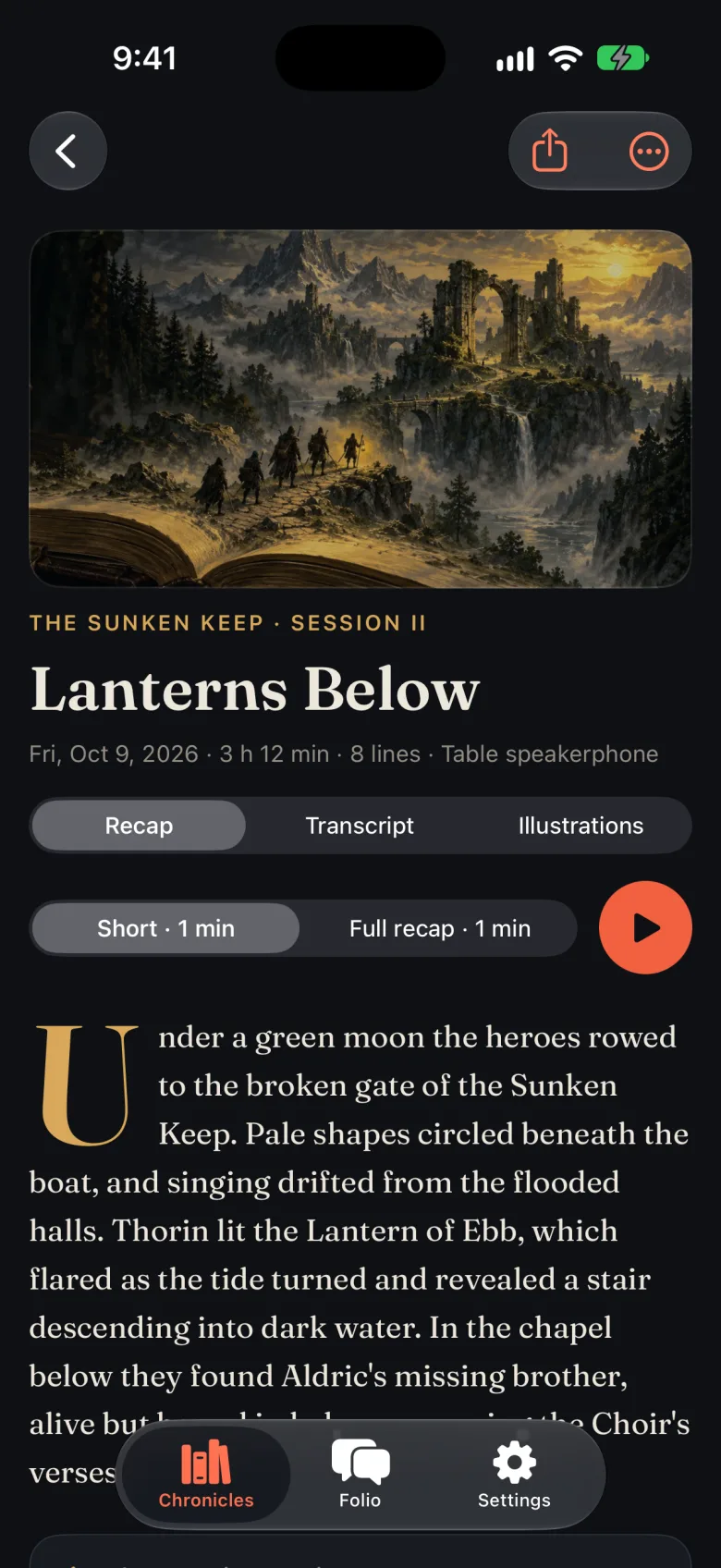
Put a Mac, an iPad or an iPhone where everyone can be heard. Speech becomes text on the device itself, so nothing has to be typed during play and nobody's voice is sent anywhere to be transcribed.
Playing on Discord? The app joins your voice channel as your own private bot. The table's microphone goes into the call and the remote players come out of the device's speaker, so no laptop needs Discord open.
The scribe in these pictures is called Folio. Yours can have any name, personality and voice you like.
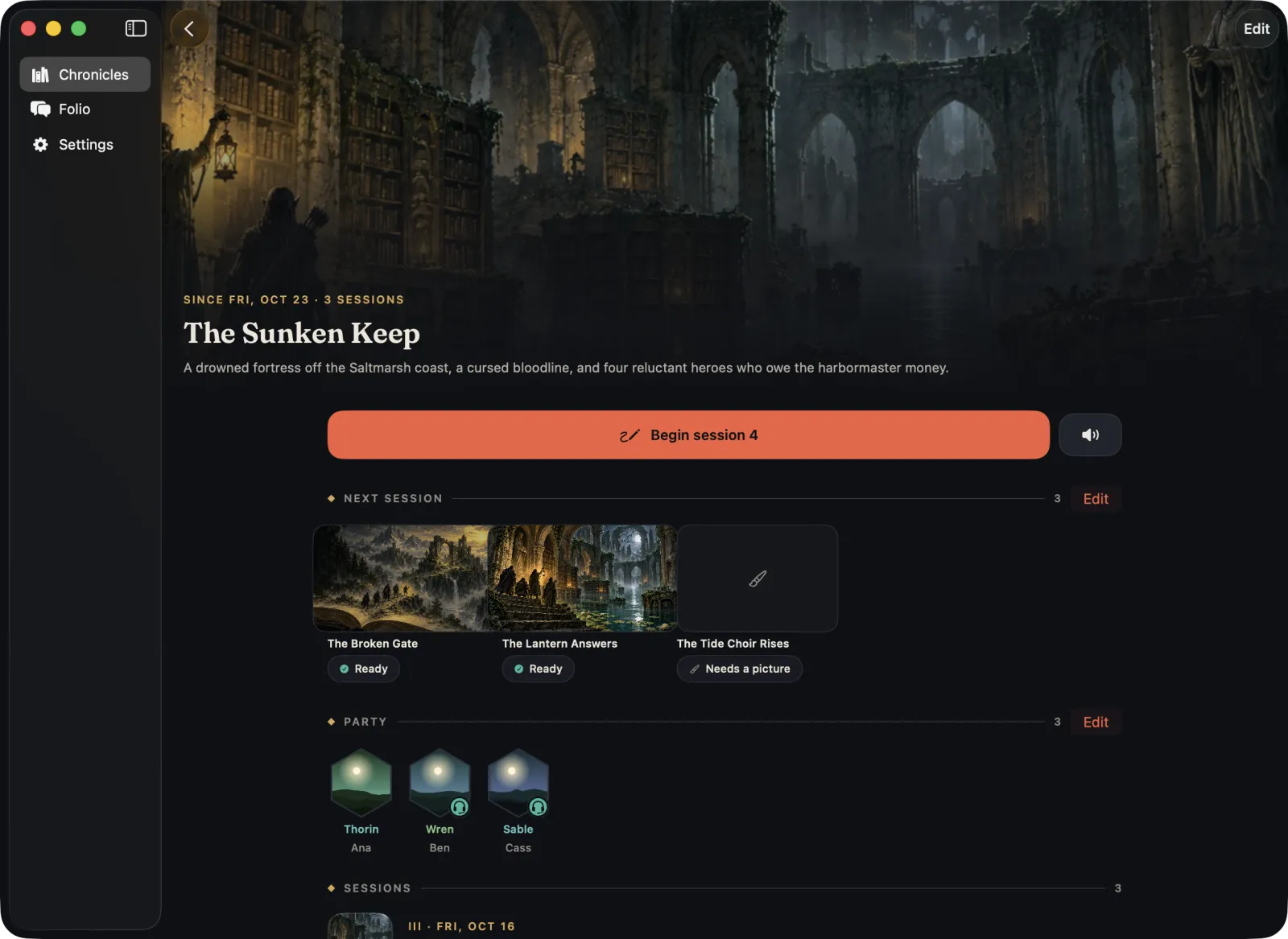
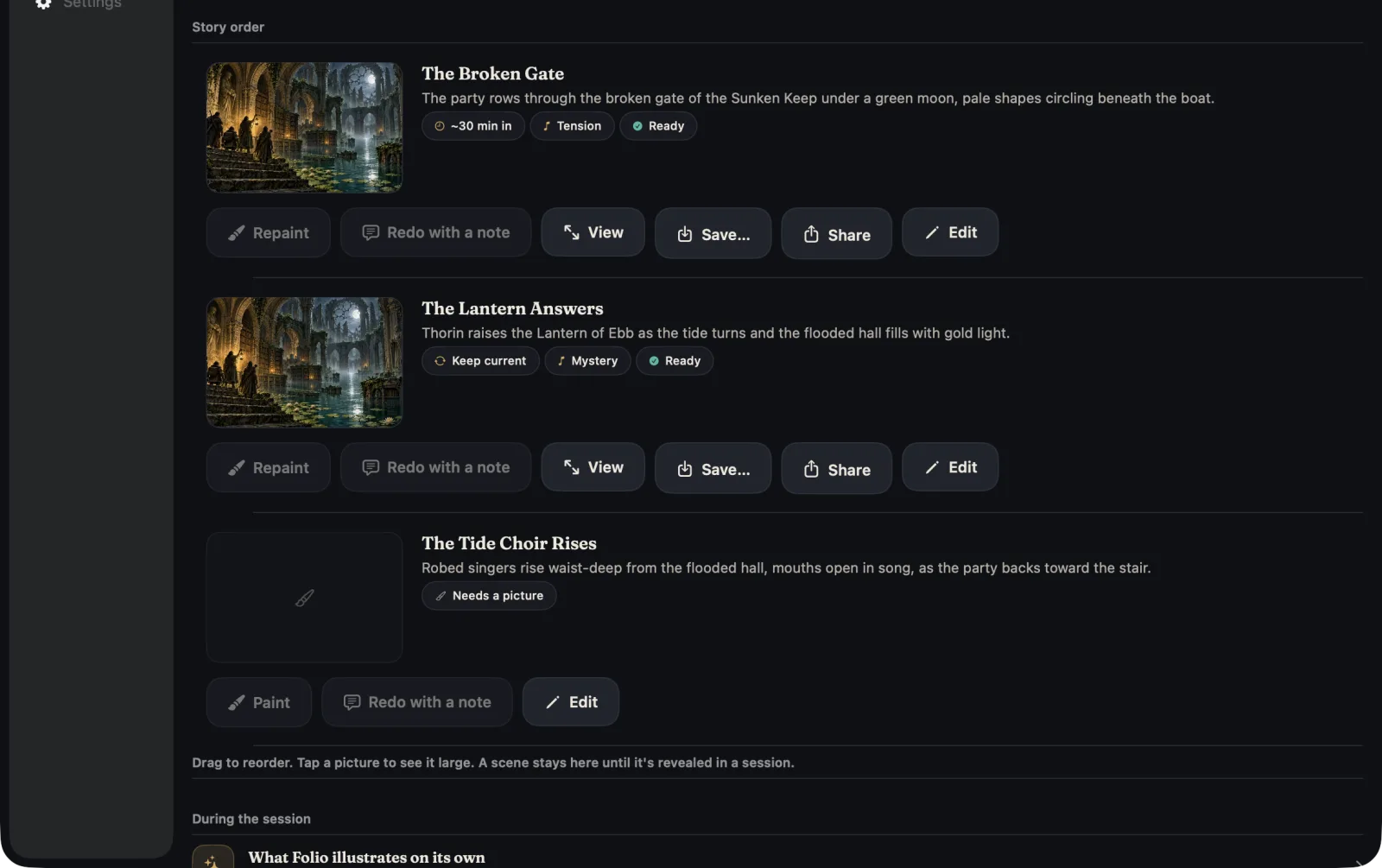
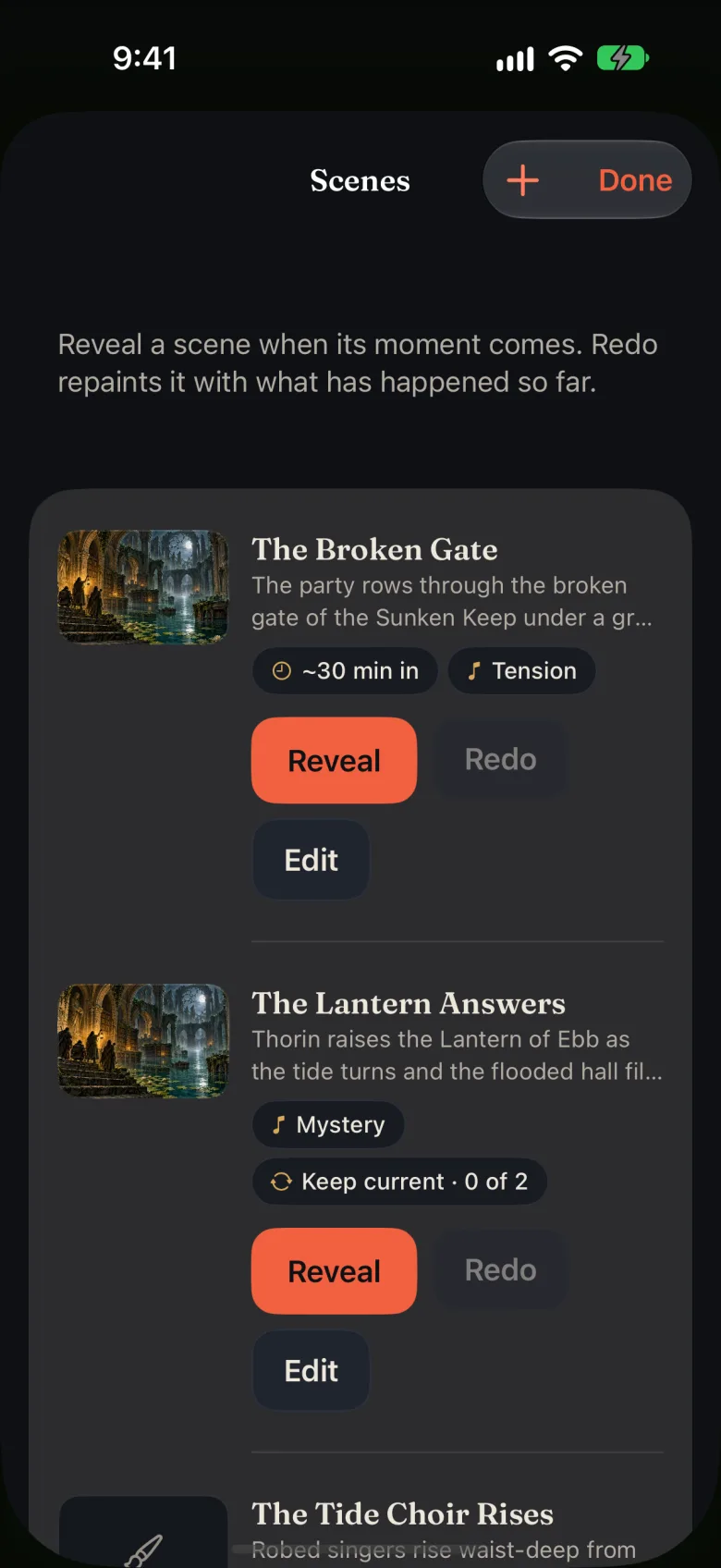
Write the beat for each scene you expect and say when it comes: about thirty minutes in, or when someone says "lantern". The scribe paints it before game night, in the campaign's style, with the characters and places you have described.
In the session the scribe nudges you when the moment arrives. Reveal the picture to the table, or have it redone with what actually happened. Any picture can be saved to your files and used elsewhere.
A scene can carry its own music: give The Broken Gate the Tension mood, and revealing it brings the music with it.
During play the scribe proposes pictures on its own. Your rules are plain sentences, and one match is enough. Leave them empty and it picks anything vivid.
Illustrate the party arriving somewhere new.
Illustrate dramatic reveals and discoveries.
Illustrate critical hits by the player characters.
With no rules, Folio chooses anything vivid.
A written thread about your campaign that the table never hears. Check what the players have actually learned, try a twist against the chronicle, or make a picture for your own notes.
The scribe draws on the campaign, the recaps and the transcripts on your device. Nothing in the thread is spoken, posted to Discord or written into a session.
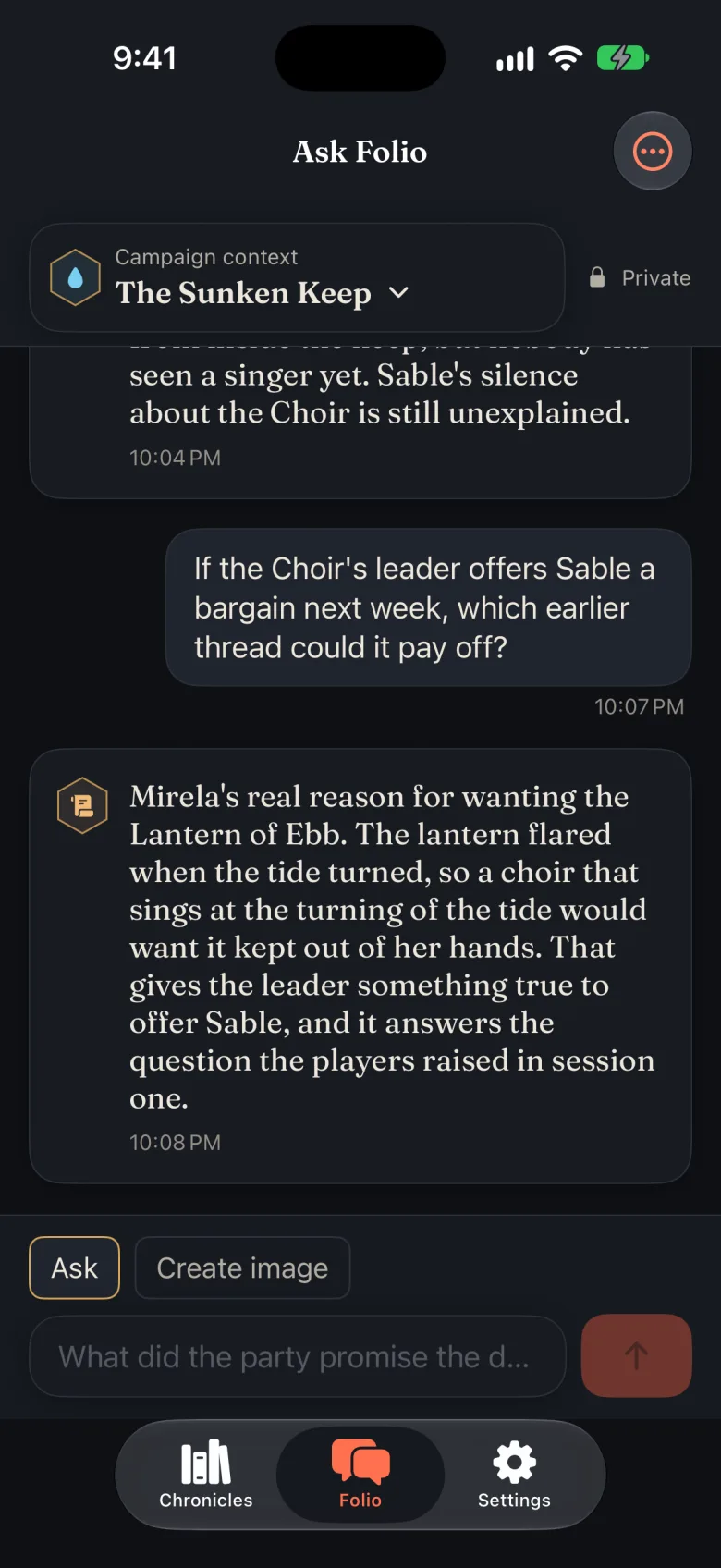
"Folio, what did Aldric tell us about the choir?"
Say the scribe's name and a question. It answers in character and in its own voice, from what was said at the table tonight and in earlier sessions. Players can ask too.
The scribe follows the game and offers a picture when something vivid happens or one of your rules matches. Tap Illustrate for the scene of the last ten minutes. Characters, creatures, places and things are painted from the looks and reference pictures you keep for the campaign, to help keep details such as Thorin's braided red beard consistent. Review generated pictures for mistakes.
The live screen opens on Now: what waits for your decision, the scenes still to come, the pictures so far, and what has changed, the music included. The transcript is one tab over, and never in the way.
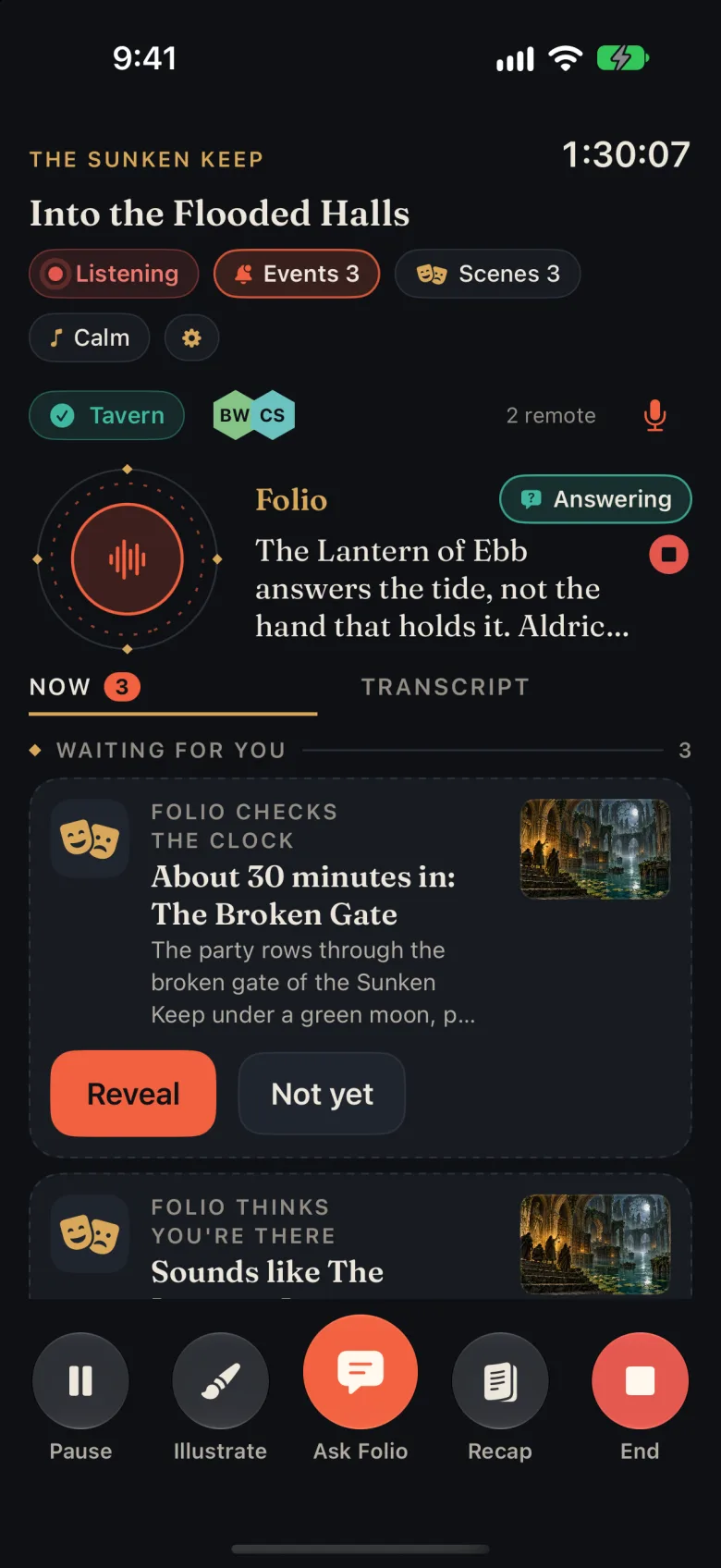
The scenes you prepared wait in the session. When the cue is heard or the time comes, the scribe nudges you. Reveal the picture to the table and to Discord, or redo it with what the players actually did.
Twenty-four included tracks across eight moods, from a quiet tavern to the first swing of a sword. The scribe can suggest a mood from the available story context, or you can pick a mood with a tap. It plays on the device, into Discord, or both, and dips while someone is speaking.
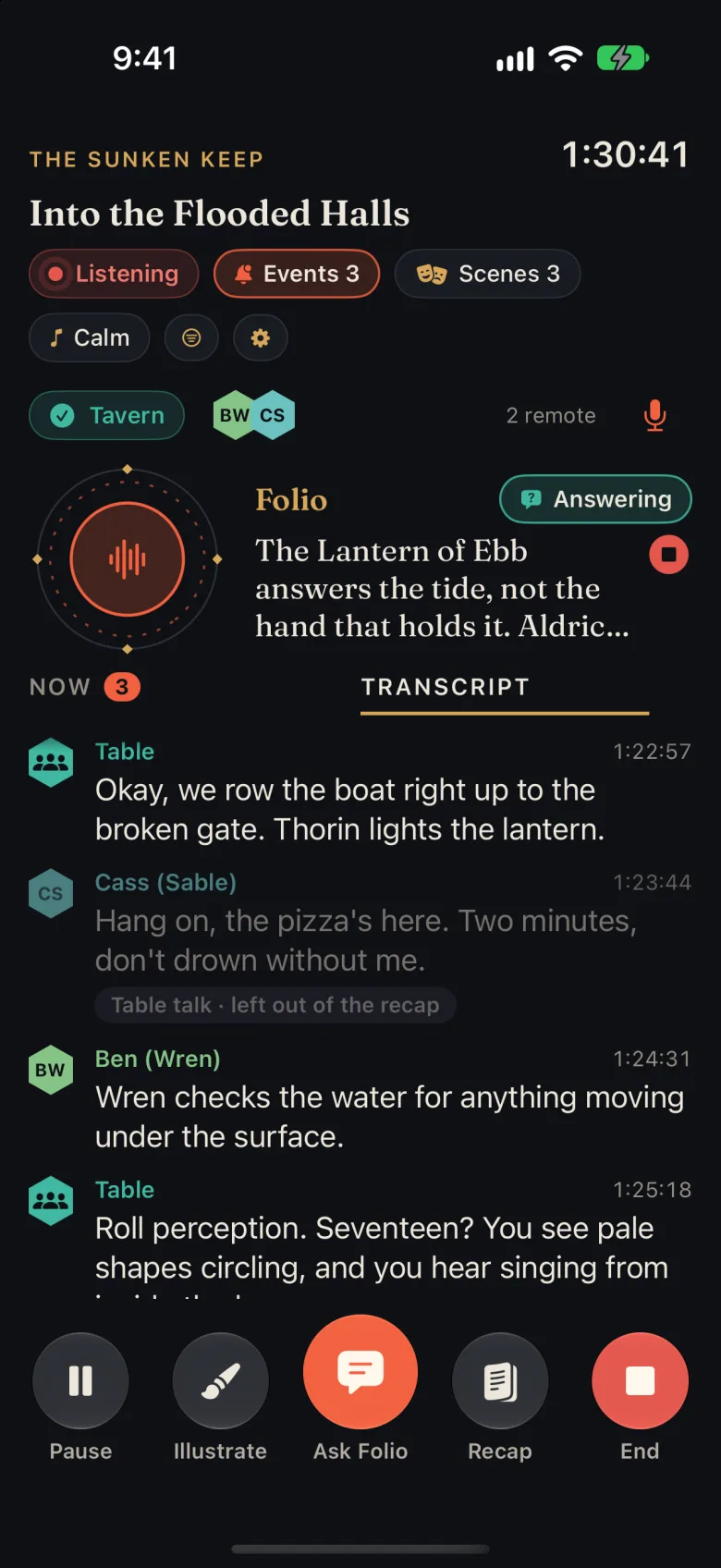
With a provider that supports transcript classification, the scribe can label fresh lines as story, rules talk, table talk or talk about the app. Table talk dims in the transcript and can be left out of story context; rules talk stays available because it may carry an outcome.
One tap shows the story view. The full transcript stays available for review. ScribeAI Local does not currently perform this separate line-classification task, and classification can make mistakes.
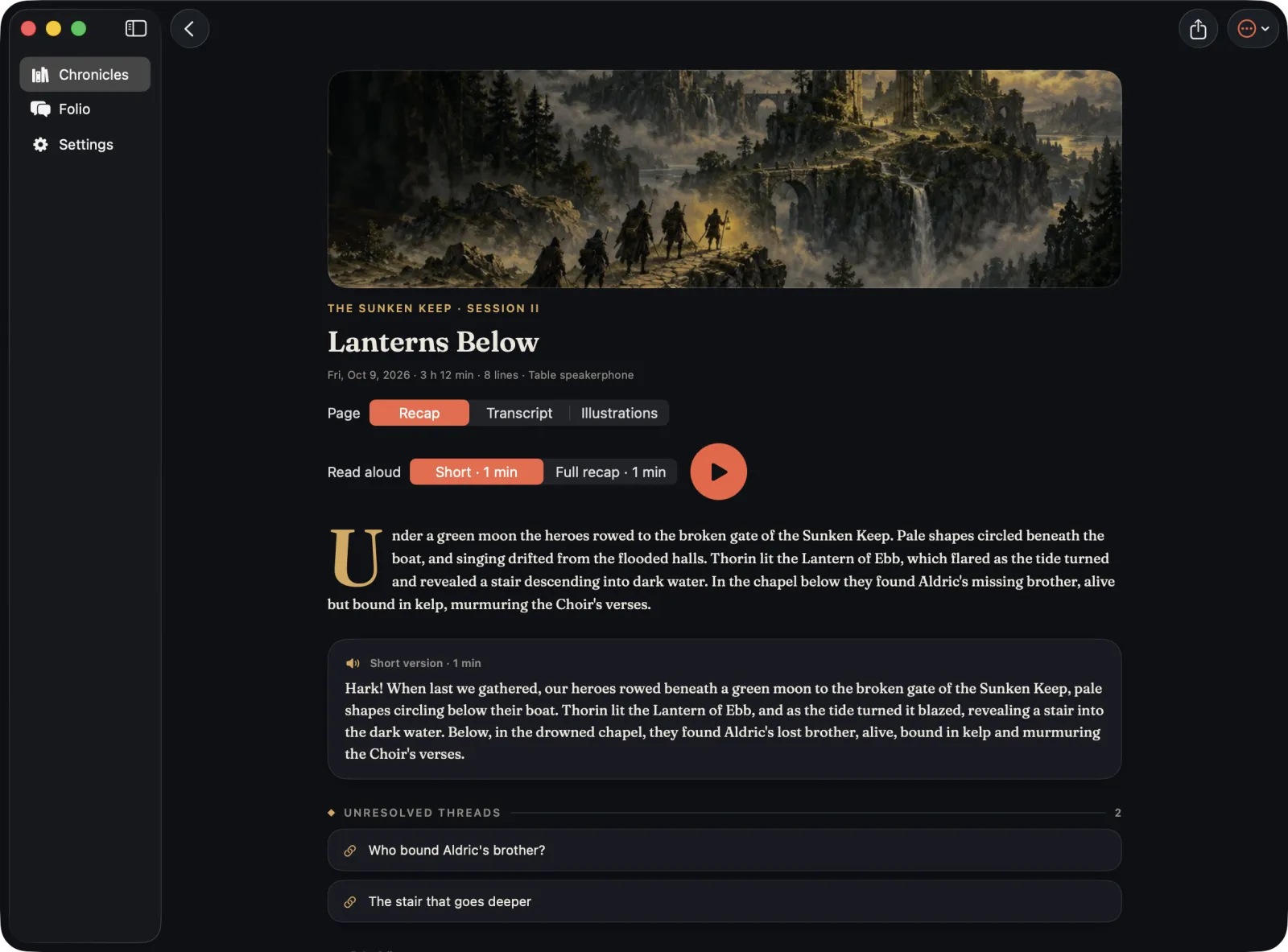
When you end the session the recap is written for you: a page for the chronicle, and a spoken version in the scribe's voice for the start of the next game night, short or in full. The threads the session left open are listed under it, so next week's prep starts from what the table cares about.
Share a finished session with Messages or AirDrop as one file. Players open it in Scribe.Quest for free and get the transcript, the recaps, the pictures, and the campaign's characters and places. Your prepared scenes and private questions stay with you.
Sign in with Apple, buy credits in the App Store, and use the same balance on every device. The service picks the text and image models.
Point the app at an OpenAI-compatible endpoint. Keys stay in the Keychain and are used only for your own requests.
Choose ScribeAI Local and download the quantized LFM3 text model once (about 1.1 GB). Its Scribe.Quest adapter is included in the app. Local writing and decisions use no ScribeAI credits and run while the app is on screen. Apple Intelligence is another option on supported devices. Image generation uses a separately configured provider.
Whichever you choose, speech is turned into text on the device.
Campaigns, transcripts, recaps and pictures are saved on your Mac, iPhone or iPad. ScribeAI relays what a request needs and keeps no copy of your campaign. This website has no trackers, cookies or forms.
Read the privacy notes Terms of UseFree
Open the sessions your game master shares, and keep them.
$4.99 once
Everything needed to run the game and keep the chronicle.
ScribeAI credits: 500 for $4.99, 1,500 for $12.99, 4,000 for $29.99. They do not expire, and one balance covers all your devices.
Planned US App Store prices; local prices will vary. Cloud AI spends credits by measured use, so the unlock does not include unlimited AI. With your own keys or an on-device model, no credits are needed.
Yes. The app joins your voice channel as your own private bot; a walkthrough in the app takes you through creating it. Remote players are transcribed under their own names, the table hears them through the device, and the scribe can post pictures to a text channel.
No. Reading what you share is free. Private questions use the text provider you choose. ScribeAI Local uses no cloud credits after its download; ScribeAI Cloud answers and pictures use credits. A supported image provider is needed for pictures.
Speech is transcribed on the device; audio is not sent to AI providers for transcription. If you connect Discord, the table microphone is transmitted into the Discord voice call. For answers, recaps and pictures, the text and campaign context a request needs go to the AI provider you chose, with your own keys or through ScribeAI. ScribeAI Local and Apple Intelligence process their text requests on the device. Model downloads, cloud image generation, purchases and optional Discord connections still use the network.
Providers that support transcript classification can mark lines as story, rules talk, table talk or talk about the app. Table and app talk can then be filtered from story context. ScribeAI Local currently handles writing and event decisions, rather than this separate line-classification task. Review the transcript and AI output: no model reliably resolves every joke, rule discussion or ambiguous scene.
Yes. Import your own files or folders, give each track a mood, and change the music during a session whenever you like.
Mac, iPhone and iPad running macOS, iOS or iPadOS 26 or later, with one purchase and one credit balance across them. On-device AI performance depends on the hardware. An Android version is in the works.
Scribe.Quest is in testing now. The App Store links below go live with the release.
Android is in the works.
App Store links will appear here at launch.